✨
Part 210 min Your First Script - Magic Color Brick!
Now for the exciting part - making things actually DO stuff! In Scratch, you used blocks. In Roblox, we type words called "code" in a language called Lua.
🔄 Scratch vs Roblox
In Scratch:
When this sprite clicked
say hello
When this sprite clicked
say hello
In Roblox:
Touched:Connect(function())print('hello') Same ideas, just different words!
Let's Make a Magic Color-Changing Brick!
This brick will change to a random color whenever someone touches it!
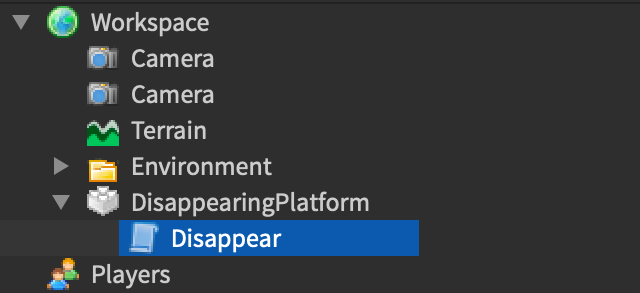
Screenshot: Let's Make a Magic Color-Changing Brick!
- Add a Part to your game (Home → Part)
- In Explorer, click the arrow next to "Workspace" to expand it
- Find your Part and RIGHT-CLICK on it
- Click "Insert Object..." then find "Script"
- Double-click the Script to open it
- Delete everything that's there
- Type the code below exactly:
-- My First Roblox Script!
-- The green lines starting with -- are comments
-- They help explain what the code does

local part = script.Parent

part.Touched:Connect(function(hit)
    local player = game.Players:GetPlayerFromCharacter(hit.Parent)
    if player then
        part.BrickColor = BrickColor.Random()
        print(player.Name .. " touched the magic brick!")
    end
end)
What Does This Code Mean?
local part = script.Parent
"Remember the thing this script is inside" (the Part!)
part.Touched:Connect(...)
"When someone touches the part, do this..."
BrickColor.Random()
"Pick a random color"
print(...)
"Show a message" (like Scratch's "say" block!)
Test It!
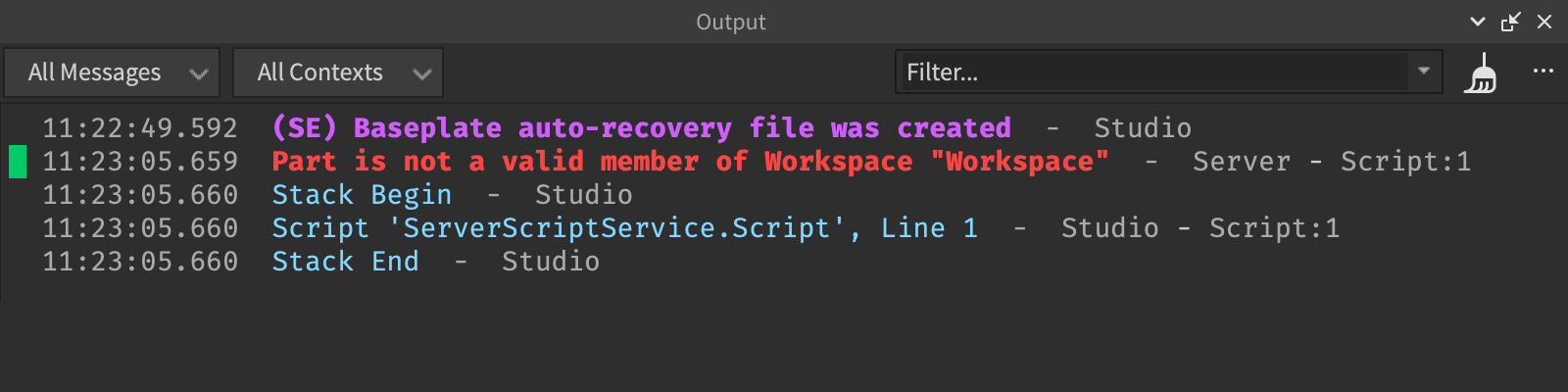
Screenshot: Test It!
- Press the Play button (▶)
- Walk your character into the Part
- Watch it change colors!
- Look at the Output window at the bottom - see your message?
🐛 Something Not Working?
- Did you type everything exactly?
- Capital letters matter! "Parent" not "parent"
- Make sure the Script is INSIDE the Part in Explorer
✅ Checklist - Check them off!
You wrote CODE! Real code! The block changes color because YOU told it to!